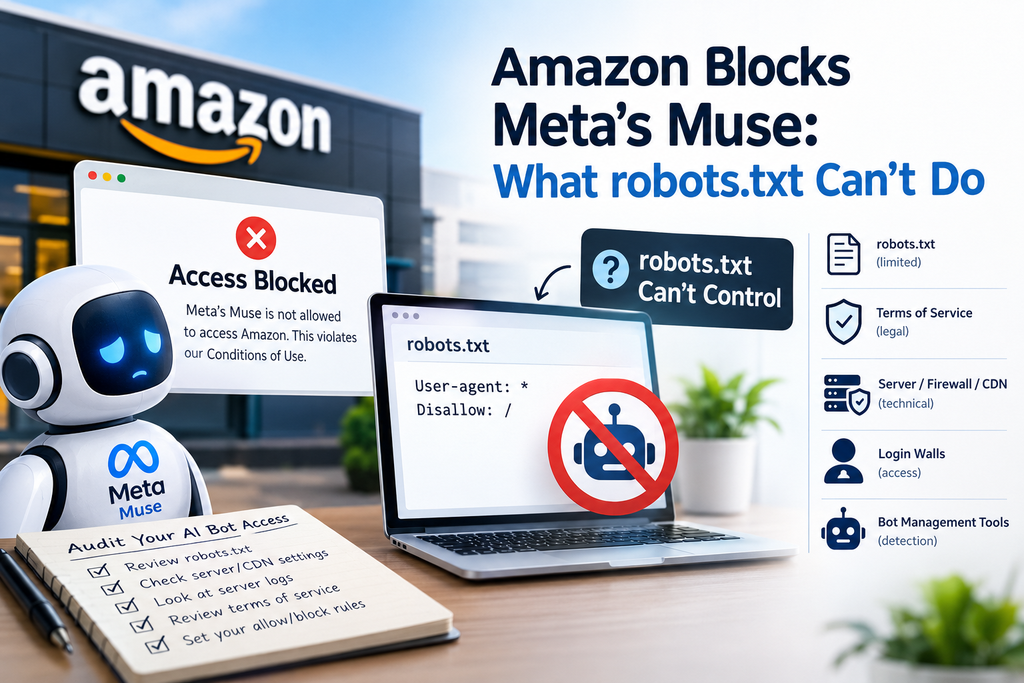
When Amazon blocks Meta’s Muse, most SEOs reach for the same tool: robots.txt. It’s a natural instinct. It’s also the wrong place to look.
Amazon blocked Muse on September 20, twelve days after Meta launched the agent on September 8. Muse users trying to shop on Amazon saw a popup saying the agent’s access violated Amazon’s Conditions of Use. No crawler rule was involved.
That matters for anyone who runs a website. It shows that robots.txt is one layer of AI bot access control, not the whole system.
Why Amazon Blocks Meta’s Muse Without Using robots.txt
Amazon gave three reasons. It says Meta never told Amazon that Muse would access its store, that the agent doesn’t identify itself while browsing, and that it appears to capture and store customer credentials. Meta says Muse has no visibility into people’s passwords or payment methods.
Amazon also framed this as a permission issue. Its spokesperson said an opt-in requirement is standard practice for food delivery apps and online travel agencies, and that agentic apps have the same obligations.
Now look at the mechanics. A robots.txt rule names a user agent, which is the label a bot sends when it requests a page. Then it says what that bot may fetch. One analysis notes that Meta’s crawler documentation lists no user agent for Muse. If a bot doesn’t identify itself, there is nothing to write a rule against.
There’s a second problem. robots.txt is a polite request. Compliant crawlers follow it. Nothing forces a bot to.
robots.txt vs. Other Ways to Control AI Bot Access
Here’s how the main controls compare:
| Control | What it does | Main limit |
| robots.txt | Asks named, well-behaved crawlers to stay away | Needs a known user agent, and compliance is voluntary |
| Terms of service | Sets legal rules for account holders | Enforcement is slow and, as we’ll see, legally untested |
| Server, firewall, or CDN rules | Blocks by IP, behavior, or request patterns | Can catch real users if set too broadly |
| Login walls | Limits content to signed-in users | An agent can act as the signed-in user |
| Bot management tools | Scores and filters automated traffic | Costs money and can produce false positives |
Amazon used the second row. That choice makes sense once you see the legal backdrop.
The Legal Backdrop Behind the Block
On August 4, the Ninth Circuit vacated Amazon’s preliminary injunction against Perplexity’s Comet agent, holding that Amazon was unlikely to show Perplexity, rather than the user, accessed its computers. Rehearing was denied on September 10.
That ruling left contract and terms-of-service claims open, and the Muse popup cites the Conditions of Use rather than any hacking law. So Amazon leaned on contract terms instead.
I’m not a lawyer, and this area is still developing. Treat it as context, not legal advice.
What This Means for Your Site
Most websites aren’t Amazon. Amazon builds its own shopping tools and has strong reasons to control who shops its catalog. One commentator argues the block is really about protecting Amazon’s advertising revenue. That’s one view, and Amazon says its concern is security.
Your situation is different. Two things are worth separating:
- Crawlers read your pages, often to index them or feed AI answers.
- Agents act on behalf of a person, such as browsing, filling forms, and buying.
Blocking one doesn’t automatically block the other. And whether you want to block either depends on your goals.
In my view, this matters most for publishers, e-commerce stores, and any site producing original content. If your business depends on organic visibility, product discovery, or being cited in AI answers, accidentally blocking the wrong bot can cost you.
The mistake I see most often is a broad rule added to “protect” content without understanding what it blocks. It can shut out useful crawlers and hurt visibility. The second mistake is never revisiting robots.txt after a site change.
How to Audit AI Bot Access This Week
You don’t need to change anything yet. Start by looking.
- Read your robots.txt. List every rule and the user agent it targets. Google’s robots.txt documentation explains the syntax.
- Check server, CDN, and firewall settings. Look for bot-blocking or rate-limiting rules your team may have forgotten.
- Review your server logs. Look for known AI user agents and for automated traffic that doesn’t identify itself.
- Read your terms of service. Check whether they say anything about automated access or AI agents.
- Decide on purpose. For each bot type, choose allow or block based on your business goals. Write the decision down.
- Recheck after major changes. Migrations, redesigns, and new plugins can quietly change what’s reachable.
This fits naturally into a wider technical SEO audit. I don’t change these settings automatically for every client, but I always review them. (Internal link opportunity: your technical SEO audit checklist page.)
FAQs
Does robots.txt block AI agents?
Only if the agent identifies itself with a user agent and chooses to obey the file. An agent that doesn’t identify itself gives robots.txt nothing to match.
Why did Amazon block Muse if robots.txt wasn’t involved?
Amazon cited its Conditions of Use, which its customers agree to. That’s a contract-based control, not a crawler rule.
Should I block all AI bots on my site?
Not by default. The right answer varies. A store that wants AI assistants to surface its products may want access. A publisher worried about content reuse may not.
Can blocking AI crawlers hurt my SEO?
It can, if you block bots that help your content get discovered. That’s why you should review each rule rather than block broadly.
Conclusion
When Amazon blocks Meta’s Muse, the lesson isn’t about Amazon or Meta. It’s that robots.txt only speaks to bots that announce themselves and choose to listen.
This week, audit your AI bot access across robots.txt, server rules, CDN settings, and your terms. Then make each allow-or-block decision on purpose.
Here’s a keyword-focused paragraph you can add naturally to the blog:
For businesses looking to improve their visibility in AI-driven search and traditional search engines, working with an SEO Expert in Kochi can help build a stronger technical SEO foundation. From auditing robots.txt and reviewing AI bot access to checking server rules, indexing, and crawlability, an SEO expert can identify issues that may affect how search engines and AI systems discover your website. A well-planned SEO strategy ensures that businesses can manage bot access without unintentionally limiting valuable organic visibility.